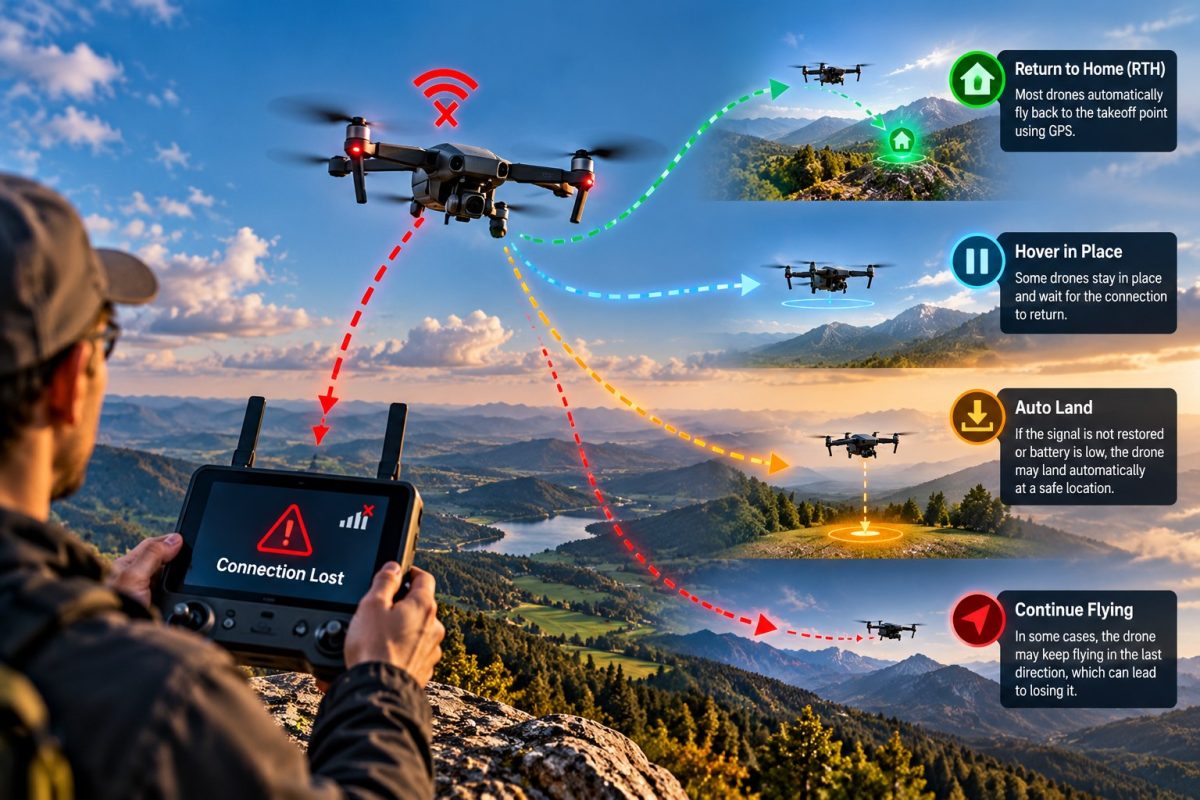
It depends on your drone model and one setting, called Signal Lost Action. With the right setting, most DJI drones fly home by themselves. With the wrong one, they can hover until the battery runs out, or land somewhere you would never choose.
What DJI documents
According to DJI Support’s “Drone RTH Logic” page, the Mini 4 Pro and Mini 5 Pro let you set the signal-lost action to RTH (return to home), land or hover. If it is set to RTH, Failsafe RTH starts after the signal has been lost for more than six seconds, provided the home point was recorded and the compass is working normally. The same DJI page shows that older models behave differently. It lists the Mini 2 as activating Failsafe RTH after more than 11 seconds, and notes that on the Mini 3 the failsafe will not activate if land or hover is selected. Always check the documentation for your exact model.
How it flies home
Heliguy, a DJI training and retail partner, describes the Mini 4 Pro’s behaviour in its Smart RTH guide. It says the default “Optimal” setting plans the return path and adjusts altitude automatically, while “Pre-set” climbs to your chosen height first. It adds that in low light the drone climbs to the pre-set height and flies straight home. For failsafe in low light, it says the drone first flies backwards 50 m along its original route, and that obstacle sensing is not available. Heliguy also says that if Failsafe RTH has started, the drone keeps returning even if the signal is restored. These are descriptions of how DJI says the feature works, so confirm them in your own manual.
For the Mini 5 Pro, DJI’s user manual says that if an obstacle exceeds the altitude limit, the aircraft will brake and hover, and the pilot must take control.
The trade-offs between the three settings
RTH gives the best chance of getting the drone back, but it relies on a good home point and a safe return height. It also climbs and flies a long way, which can use a lot of battery.
Hover keeps the drone near where it lost contact, which can help if the signal returns. The cost is that it drains the battery while you search.
Land ends the flight quickly, but you do not control where it comes down. That could be water, a road or a crowd.
Manufacturer claims versus independent evidence
Everything above describes what DJI and its partner say the drones do. I found no independent testing of Failsafe RTH, so results in your conditions may differ. The differences between models in DJI’s own table are a good reason to treat the manual as the starting point, not a guarantee.
A realistic example
A pilot films a hillside at dusk. Their RTH height is set to 30 m, but a mast near the route stands about 50 m tall. The signal drops behind the slope, and Failsafe RTH starts. In low light the drone cannot rely on obstacle sensing, so it follows the pre-set height. That 30 m figure was chosen casually weeks earlier, and it is now the only thing between the drone and the mast.
What this means for your workflow
Treat the failsafe settings as part of your pre-flight routine, not a one-time setup. A short test in an open area at low height, with the settings you plan to use, shows you what the drone does before you rely on it far from home. That is a practical suggestion, not a requirement. Also keep the rules in mind. If a registered drone is lost, check the Digital Sky platform and DGCA guidance for the current steps. A summary of the draft Civil Drone (Promotion and Regulation) Bill, 2025 says it is meant to replace the Drone Rules, 2021 once enacted. As of the sources I found, it was still a draft.
Useful takeaway: a 30-second pre-flight check
- Confirm Signal Lost Action is set to RTH.
- Wait for the “Home Point updated” prompt before moving.
- Set the RTH height above the tallest obstacle on your route.
- In low light, assume obstacle sensing may not help.