New drone pilots hit a problem pretty quickly. Clients want to see your past work before they hire you, but you can’t get past work without getting hired. The good news is you don’t need paid jobs to prove you can fly and shoot. If you plan a few legal shoots on your own, you can show future clients what you’re really capable of.
Planning Your Own Shoots
Before any flight, make sure everything is legal. Register your drone on the DGCA Digital Sky Platform to get a Unique Identification Number, and check whether your drone’s weight class needs a Remote Pilot Certificate. Use the airspace maps on the same site to make sure your flying spots are in permitted zones. Always get written permission from property owners before you launch.
Pick three or four subjects that look like real jobs. Some ideas are a top-down shot of a public sports complex, an empty parking lot at sunrise, or a family member’s garden (with their okay). Try flying at golden hour, since the light gives warm, soft shadows. If your drone can shoot RAW photos, turn that on so you keep more detail in the bright and dark areas when you edit.
Picking Your Best Photos
Eight to ten sharp photos beat fifty average ones. Go through your files on a good monitor and cut anything with motion blur, crooked horizons, or bad lens flare. Then choose pictures that show different angles and skills.
Try to include:
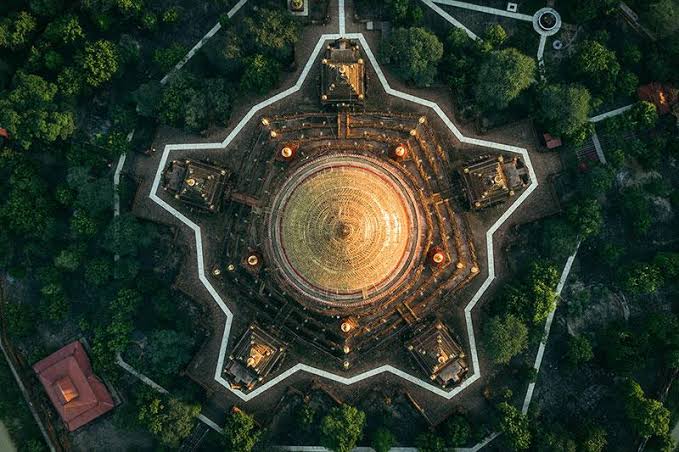
- A straight-down 90-degree shot, which shows you can line things up like a map. It also shows ground sampling distance, which is how much real ground each pixel of the camera covers.
- A 45-degree angled shot that shows the depth of a building.
- A low, wide shot with clean leading lines.
Zoom in to 100 percent on each file to check that the corners are sharp and there isn’t much noise. For clean results, use a fast shutter speed to freeze movement, keep ISO low to avoid grain, and check that your 3-axis gimbal is calibrated before takeoff.
Describing Your Work Honestly
Clients want pilots they can trust, so be honest in every caption. Say clearly that these are personal practice shoots or spec work, not paid client jobs. Following the US Copyright Office’s credit and copyright practices, give credit to anyone who helped, like a ground assistant or the property owner, and say that you took and edited the photos yourself.
Under each photo, add short technical notes with the flight altitude in meters, lens focal length, sensor resolution, and the EXIF timestamp. Export your web copies in sRGB so the colors look the same on any screen. If you fixed lens distortion or adjusted the contrast a little, mention it, and keep the colors true to the real scene.
Showing It to Future Clients
When you put your photos into a clean, well-labeled gallery, your practice flights start to look like professional proof. Legal registration, permitted locations, sharp photos, and honest descriptions let clients judge your skills with confidence. Good self-started work shows you’re disciplined, safety-minded, and ready for paid jobs.