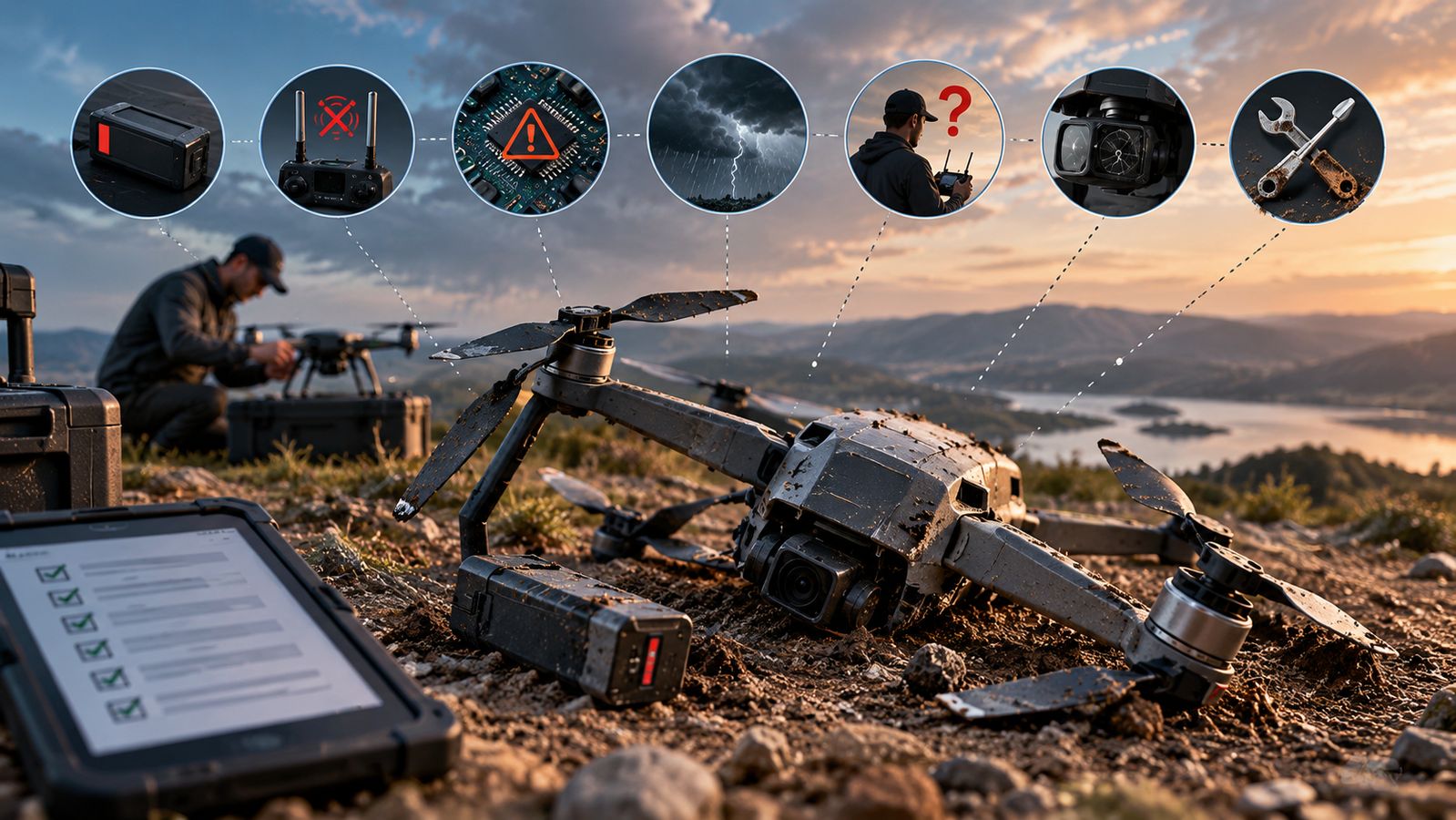
A drone crash is rarely just one thing
A drone can appear to fail suddenly, but the event often starts with a small problem that becomes serious in the air. A battery may sag under load, a position estimate may become unreliable, wind may push the aircraft beyond its planned reserve, or a pilot may react too late. Modern flight controllers can detect several of these conditions and trigger failsafe actions, but a failsafe is a last line of defence rather than a substitute for preparation.
That is why crash prevention starts before take-off. The useful question is not only “What failed?” but also “What warning could have been noticed earlier?”
Battery failure: the problem you cannot negotiate with
Multirotors need continuous electrical power to produce lift. As a battery becomes depleted, its voltage can fall, and a battery that looks healthy on the ground can behave differently when the motors demand high current. Cold, ageing, damage or incorrect charging and storage can also reduce usable performance.
Flight software can monitor voltage and estimated remaining capacity. ArduPilot, for example, supports configurable battery failsafes that can warn the pilot or initiate actions such as return-to-launch or landing. But those settings only help when battery monitoring is working and thresholds are configured sensibly.
The practical lesson is simple: start with a known-good battery, inspect it for damage or swelling, plan a reserve rather than flying to the last percentage, and treat repeated voltage warnings as a maintenance issue.
Signal loss, GPS and sensor problems
Losing the control or telemetry link does not automatically mean a drone will fall. Many systems have radio or ground-control failsafes that can trigger a configured response when communication is lost. The aircraft may be able to hold, return or land depending on its design, flight mode and configuration.
Position and attitude sensors create a different risk. GPS glitches, compass errors, excessive vibration or unhealthy inertial sensors can make the flight controller less certain about where the aircraft is or how it is moving. ArduPilot uses an Extended Kalman Filter (EKF) to combine sensor information and can trigger an EKF failsafe when the estimated position or velocity becomes unreliable.
Pilots should understand the aircraft’s actual failsafe behaviour before flying. Do not assume return-to-home will work exactly as expected in every location, especially if the home position, return altitude or navigation estimate is wrong.
Software errors and configuration mistakes
A software problem is not always a coding bug. Incorrect parameters, outdated firmware, a poorly calibrated sensor or a failsafe configured for the wrong operating conditions can create a failure that looks mysterious in the air.
Pre-arm checks are designed to catch some of these conditions before the motors start. ArduPilot’s documentation lists checks for unhealthy sensors, battery conditions, GPS position variance and configuration problems.
A useful habit is to avoid major configuration changes immediately before an important flight. Test firmware, calibration and autonomous functions in a controlled environment first, and keep flight logs when the system supports them. Logs can help distinguish a power problem from a sensor, navigation or control problem after an incident.
Weather and pilot decisions still matter
Wind is especially important for small drones because the aircraft may have limited power and endurance margins. Strong gusts can increase the energy required to hold position or return home. Rain can also be a problem for equipment that is not designed for wet conditions, while poor visibility makes visual observation harder.
Pilot mistakes remain another pathway to a crash: flying beyond practical visual control, misjudging distance, selecting an unsuitable take-off or landing area, or continuing after repeated warnings. Automation reduces workload, but it does not remove the need for judgement.
DGCA guidance for remote pilots in India calls for pre-flight checks, operation within visual line of sight, safe distances from people and property, permitted weather conditions and maintenance according to the manufacturer’s manual.
Maintenance turns prevention into a routine
Propellers, motors, batteries, connectors and airframes experience wear. A small crack in a propeller, loose connector or damaged motor bearing can become a much larger problem once the aircraft is spinning at high speed.
A practical pre-flight routine should therefore include the battery, propellers, motor area, landing gear or frame, payload attachment, controller connection, firmware status, sensor warnings and the planned operating area. After a hard landing or collision, inspect the aircraft before flying again—even if it still appears to work.
The broader lesson is that drone safety is a system. Good hardware helps, software failsafes help, and pilot training helps, but none works alone. The safest flight is usually the one where a small warning is noticed early enough that the crash never has a chance to happen.