Picking the right brain for a robot can make or break a factory project. When you compare robot controllers across the major brands, small differences in hardware and software decide how well the machines perform. Just like a smartphone needs a fast chip and clear menus, an industrial robot relies on its controller to move smoothly, connect with other tools, and stay safe around people.
Understanding Modern Robot Controllers
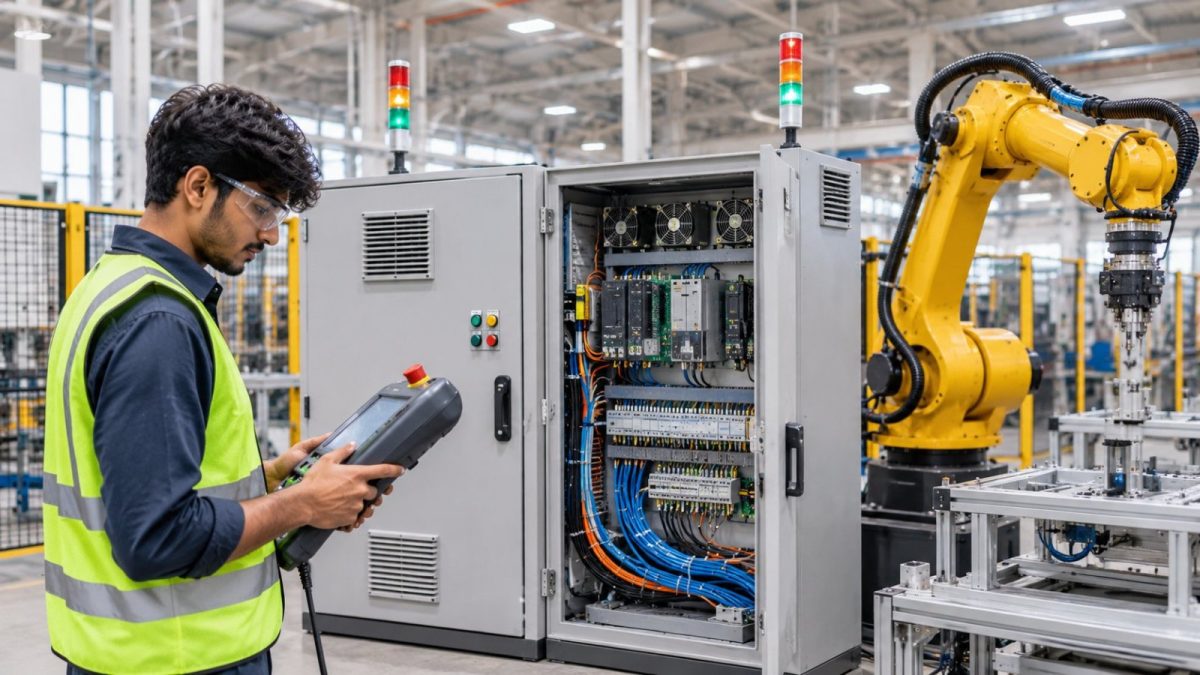
A robot controller is the computer box that tells a mechanical arm where to go and how fast to move. Today, major makers like FANUC, ABB, KUKA, and Universal Robots build different controller platforms for different jobs. Some focus on heavy car assembly, while others power smaller robots that work safely next to human operators. In 2025 and 2026, manufacturers have been updating these systems more and more so they can process camera feeds and sensor data directly, without needing extra outside computers.
Speed, Connectivity, and Programming Tools
Controllers work by reading program instructions and sending electrical signals to the robot's motors thousands of times per second. The best models stand out in cycle speed, network ports, and programming tools. Faster processors help robots change direction smoothly without shaking, which protects delicate electronics and speeds up assembly lines. Modern controllers also support standard factory networks like EtherCAT and PROFINET, so the robot can easily talk to cameras, conveyor belts, and safety gates. For engineering teams, browser-based coding tools and offline simulators let programmers test movements on a laptop before they ever touch the real machine.
Design Trade-Offs and Production Costs
The controller design you pick affects long-term factory budgets and maintenance. Large cabinet controllers pack high power and heavy cooling fans into big enclosures, which makes them a good fit for round-the-clock welding or heavy lifting. Compact controllers, on the other hand, save floor space and cut electricity bills, though they usually can't deliver enough power to drive large arms at top speed. Software licensing also affects the total cost. Basic motion usually comes standard, but advanced features like multi-robot synchronization, cloud fleet monitoring, and built-in vision guidance often need recurring paid licenses that raise the real price of ownership.
Limits and Brand Lock-In to Watch For
Even good controllers have practical limits that buyers need to plan for. Proprietary programming languages often lock a factory into a single brand, so technicians have to learn completely different menus and workflows when they add machines from another supplier. Connecting older factory equipment to newer controllers can also need expensive adapter modules and custom wiring.
Where Controller Design Is Headed
Robot makers are slowly moving toward open software standards and simpler interfaces to cut training time. Many suppliers now let technicians change settings from a regular tablet instead of a heavy, wired teach pendant. Research groups and industrial vendors are also adding more support for platforms like ROS 2, so engineers can reuse control code across different robot brands.
In the end, the best controller balances hardware power, ease of programming, and clear licensing costs for your specific job. Focusing on practical features like safety zones, open connectivity, and simulation support helps ensure reliable performance long after installation.