Buying a new laptop is not just about choosing a fast processor or checking the price. Modern laptops have improved in many other ways. Their screens look better, cooling systems work smarter, and connecting devices is easier than before. Some laptops are also designed to be repaired instead of replaced.
These improvements make everyday computer use more comfortable. Whether you are a student attending online classes or a professional working from home, understanding these features can help you choose the right laptop.
Brighter Screens and Smarter Displays
Laptop screens have improved with technologies such as OLED, Mini-LED, and high-refresh-rate displays.
OLED screens work differently from traditional LCD screens. Each pixel produces its own light, so the screen does not need a separate backlight. When displaying black, individual pixels can switch off completely. This creates deeper blacks and better contrast. OLED screens are useful for watching movies, viewing photos, and enjoying colourful content. Samsung Display explains this technology in its official OLED documentation [1].
Mini-LED uses thousands of tiny lights behind an LCD screen. These lights are divided into small groups that can become brighter or darker independently. This helps the screen show better contrast and bright details. HP explains how Mini-LED backlighting and local dimming improve picture quality [2].
Another useful feature is refresh rate. A 60Hz screen refreshes its image 60 times per second, while a 120Hz screen refreshes it 120 times per second. Higher refresh rates can make scrolling, animations, and games look smoother.
VESA DisplayHDR certification measures display features such as brightness, contrast, and colour performance. It is different from refresh rate and does not guarantee that motion blur will disappear [3].
Some laptops also support automatic refresh-rate changes. The screen can use a lower refresh rate when displaying still documents and a higher rate during movement. Microsoft explains that lowering the refresh rate on supported displays can reduce power use and help save battery life [4].
Staying Cool in Thin Laptop Designs
Modern laptops are becoming thinner and lighter, but powerful processors still produce heat. If this heat is not managed properly, the laptop may become uncomfortable to use or reduce its performance.
Most laptops use fans, metal cooling parts, and heat pipes to move heat away from important components.
Some manufacturers also use a technology called a vapor chamber. It is a thin, sealed cooling part containing a small amount of liquid. When it gets hot, the liquid turns into vapour and spreads the heat. It then cools down and turns back into liquid.
ASUS explains how vapor chambers help spread heat across a larger area before cooling fans remove it [5]. However, vapor chambers do not make every laptop silent. Cooling performance depends on the complete design.
Modular Parts and the Right to Repair
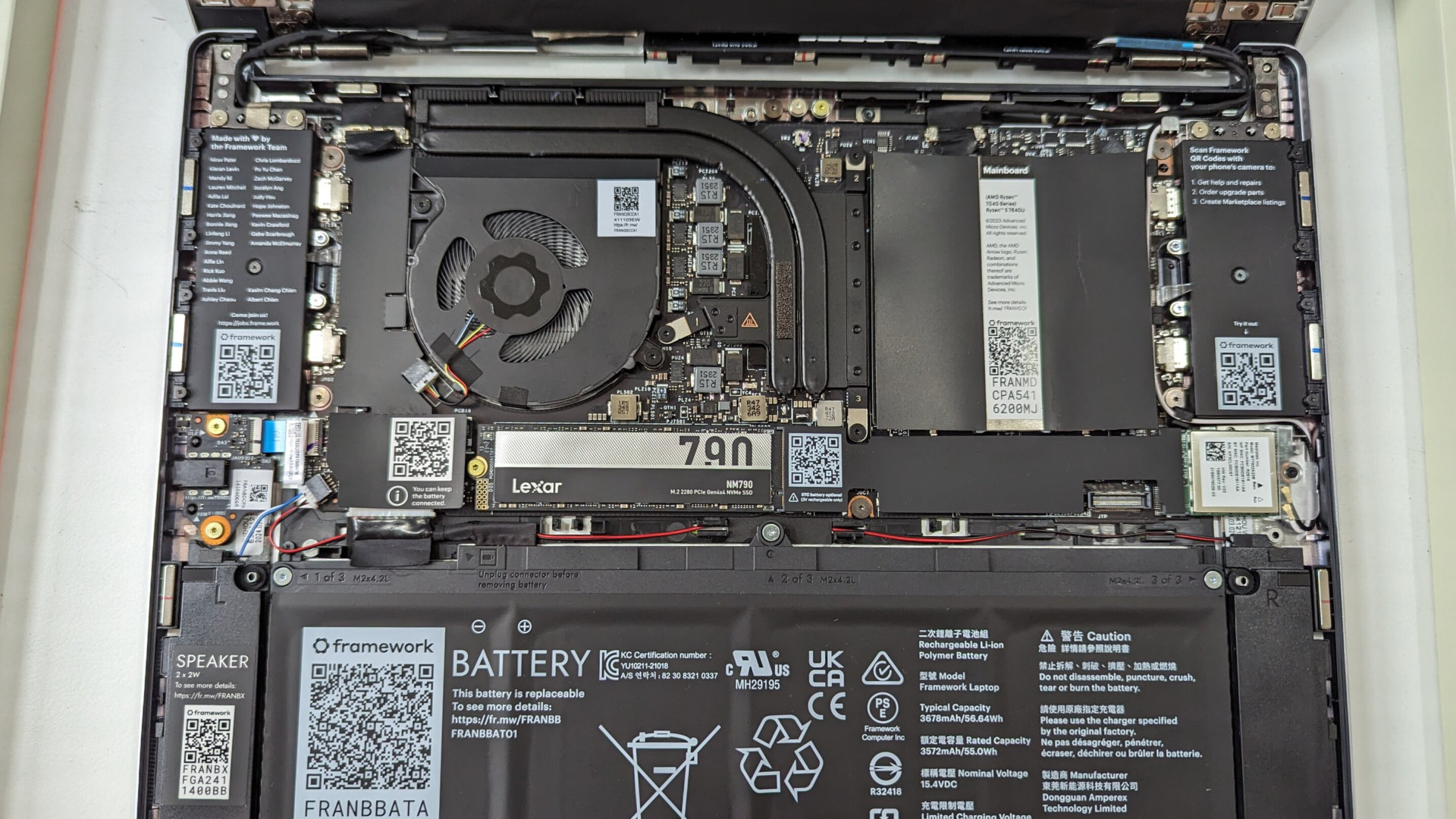
Some laptops are difficult to repair because their parts are glued or permanently attached. This can make simple repairs expensive.
Other laptops are designed to make replacing parts easier. Framework laptops are a good example. Their official repair guides explain how users can replace and change Expansion Cards, which provide different connection options [10].
iFixit also checks how easily laptop parts can be opened, removed, and replaced. Its repairability scores help buyers compare different laptop models [6].
Before buying a laptop, check whether its battery, storage drive, keyboard, and memory can be replaced. A repair-friendly laptop can save money over time.
Faster Connections: USB4 and Wi-Fi 7
Modern laptops also offer better ways to connect devices and access the internet.
USB4: One Connection for Multiple Tasks
USB4 allows compatible laptops to transfer data, connect external displays, and work with docking stations through a USB-C connection [7].
However, not every USB-C port supports USB4. USB-C describes the shape of the connector, while USB4 describes its technology. Charging also depends on USB Power Delivery support [8].
Wi-Fi 7: Faster Wireless Connectivity
Wi-Fi 7 is a newer wireless technology designed to improve internet speed and connection quality. It supports wider channels and a feature called Multi-Link Operation, which allows compatible devices to use multiple wireless links at the same time [9].
Actual performance depends on the laptop, router, internet connection, and distance from the router.
Indian buyers should also check local wireless rules and router compatibility before paying extra for Wi-Fi 7.
The Editorial Verdict: What Matters Most?
You do not need the most expensive laptop to enjoy modern technology. OLED screens offer excellent picture quality, better cooling helps manage heat, and repairable designs can make laptops last longer.
USB4 and Wi-Fi 7 also provide useful connection options. However, their benefits depend on the laptop and the devices connected to it.
For most students and everyday users, a good screen, reliable battery, comfortable keyboard, and useful ports are more important than expensive features they rarely use.