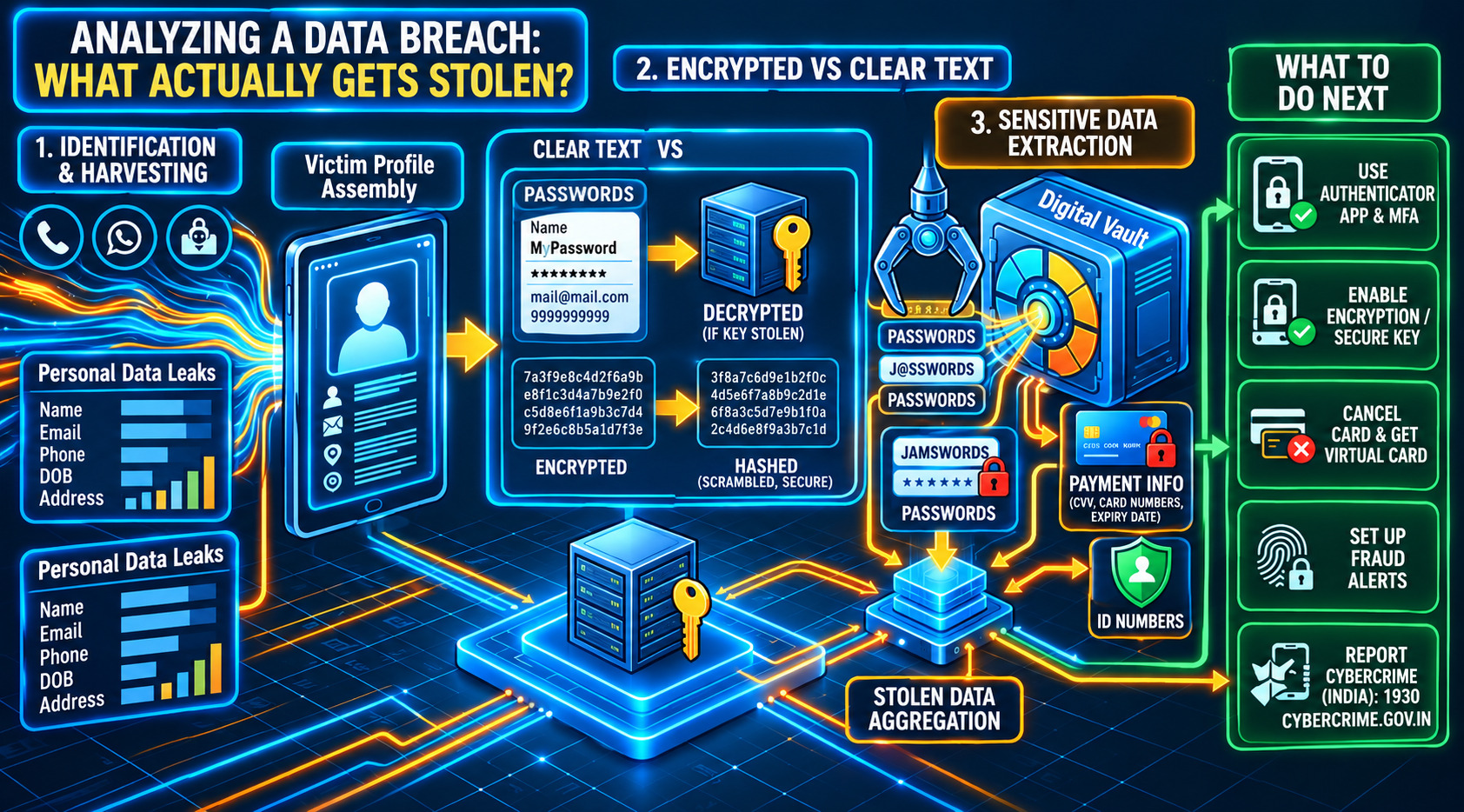
You get an email from an app you use. It says, “We recently detected unauthorised access to our systems.” That’s all. So what was taken? Your password? Your card details? Or just your email address?
Not Every Breach Is the Same
A data breach means someone got into a company’s data without permission. The damage depends on what was inside. A leaked list of email addresses is annoying. A leaked list of card numbers with security codes is a much bigger problem.
So the first step is always the same: find out what was actually taken. The company’s notice usually tells you. Read it fully, even if it feels boring.
Passwords: Readable or Scrambled?
Not all stolen passwords are equal. If a company stored passwords in “cleartext,” there was no protection at all. The attacker can read them as easily as a normal email.
Better companies store passwords “hashed.” Hashing scrambles a password in a way that cannot be turned back into the original. So even if hackers steal hashed passwords, they cannot simply read them. Still, some companies ask everyone to change passwords anyway, just to be safe.
The bigger danger is reuse. If you use the same password on three sites, one breach can open all three.
Personal Details and Payment Information
Personal details are things like your name, email, phone number, date of birth and address. They look harmless, but you cannot change your date of birth like a password. Scammers use these details to write messages that sound real, like a “bank” call that already knows your name. Security guides rate ID numbers, passwords and card security codes as the most sensitive. Email addresses, birth dates and card numbers come just below.
Payment information means your card number, expiry date and the security code (CVV). This one hits your wallet. If your card number was exposed, tell the bank that issued it right away. They will usually cancel the card and send a new one. It matters even more for debit cards, because the money comes straight out of your account. For online shopping, a virtual card limits the damage.
Encrypted Data: Stolen but Locked
Encryption works like a lock. The data is scrambled, and only someone with the right key can unscramble it. If attackers steal encrypted data without the key, it is mostly useless to them.
There is a catch. If the key was stolen along with the data, the lock does not help. Also, encryption and hashing are not the same. Hashing is a one-way scramble, mostly for passwords. Encryption can be reversed, but only with the key. If a notice does not say which one was used, treat your data as exposed.
What to Do Next
Start with the password. Change it on the breached site, and on any other site where you used the same one. A password manager helps, because it creates and stores a different strong password for each account. If you can, turn on two-step login with an authenticator app.
If card details were involved, call your bank, block the card, and check your statements for charges you don’t recognise. Be careful with calls, SMS and emails after a breach. Scammers know the breach is real, so they use it as their excuse. If a message asks for an OTP or a link click, stop and check first.
If you lose money, act fast. In India, call the 1930 helpline and file a complaint at cybercrime.gov.in. Reporting quickly gives the police and your bank a better chance to act.
A breach is not your fault. But what you do in the first few hours makes a big difference.