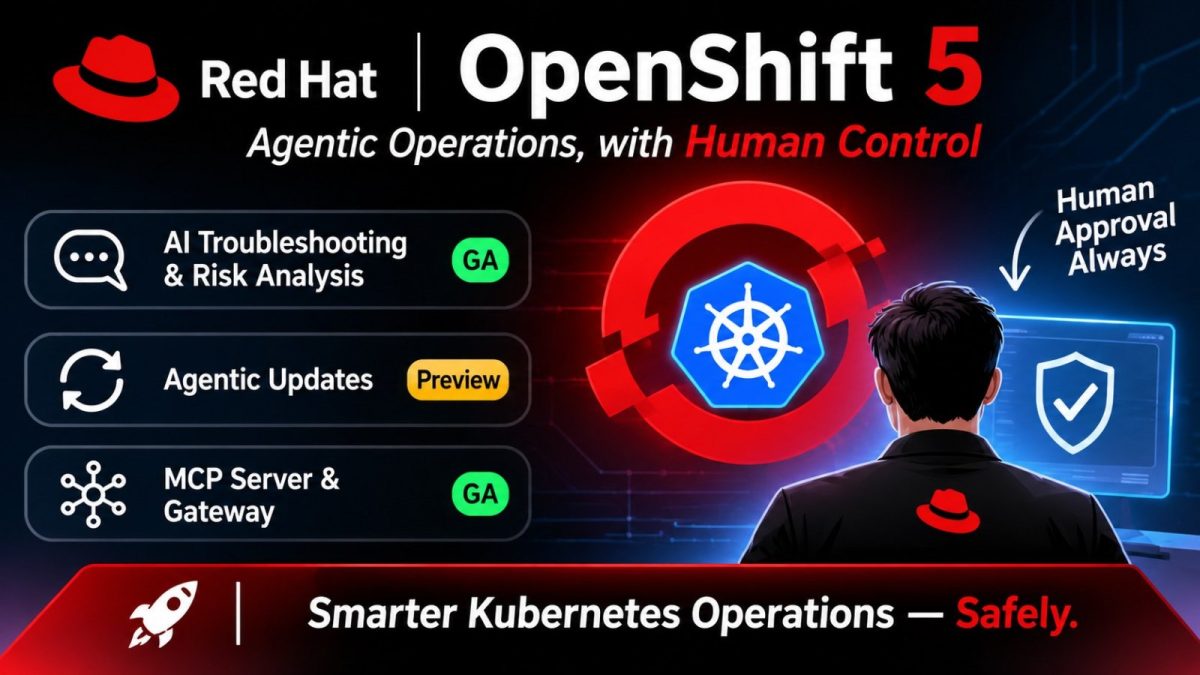
Running a real Kubernetes cluster in production is stressful, and letting AI take over control could cause some serious outages if it messes up. On November 9, 2026, at KubeCon + CloudNativeCon North America, Red Hat announced OpenShift 5 (they also put out a press release on November 10). It’s now available to customers who already have subscriptions. The big new thing is that it has “agentic operations” built in, powered by something called OpenShift Lightspeed. But humans still get the final say on everything.
Red Hat also makes it pretty clear which features are ready for real production use right now and which ones are still being tested in preview.
How the agentic operations work
From Red Hat’s announcement and reports by IT Brief and SiliconANGLE, OpenShift 5 lets you troubleshoot by just talking to it and helps plan upgrades, but an admin still has to approve things. It’s split into three main parts.
Troubleshooting and update risk checks. The troubleshooting feature is generally available. You describe what’s going wrong with your cluster in normal language, it figures out the likely cause, and then it suggests a fix. An administrator looks at it and decides whether to apply it. Update risk analysis is also generally available. The upgrade planner checks things like app dependencies, Kubernetes APIs, and optional operators so it can warn you about problems before an update even starts.
Agentic updates (still in preview). The diagnosing and risk tools are ready to go, but the automatic agentic updates are still in Technology Preview. That gives platform teams time to test the AI’s suggestions in real environments before letting it run changes on its own across production.
OpenShift MCP Server and MCP Gateway. Red Hat made both the OpenShift Model Context Protocol (MCP) server and an MCP gateway generally available. Basically, these give AI agents a controlled way to connect to the platform’s services instead of just doing whatever they want.
Trade-offs to think about
Honestly, I think Red Hat’s approach of keeping humans in the loop is pretty practical. A lot of companies promise infrastructure that fixes itself, but in real life, engineers don’t really trust AI models that can be wrong to change the main control parts of a production system without anyone watching.
Still, there are some downsides for ops teams:
Reviewing everything takes time. Making admins check and apply every fix stops accidental downtime. But if there are tons of alerts during an incident, people could get tired of reviewing dozens of summaries by hand, and that’s when mistakes happen.
Preview features need rules first. Before agentic updates move out of preview and into real pipelines, security teams have to set strict access policies on the MCP gateway. They need detailed permissions so connected agents can’t look into sensitive namespaces or make changes they aren’t supposed to.
What this means going forward
Red Hat is keeping the stuff that’s ready (diagnostics and MCP connections) separate from the stuff that’s still in preview (automatic execution). That gives infrastructure teams a slower, safer way to start using AI in operations. Admins get faster root-cause answers and can see upgrade problems ahead of time right now, and they still get to be the ones who press apply.